
Start hereInstallation and setup
Install LiveHQ and prepare your Mac
Install LiveHQ, sign in, and prepare Docker Desktop so your Mac is ready to host apps.
Before you begin
LiveHQ runs your projects through Docker Desktop on your Mac.
- Apple Silicon Mac running macOS 15 or later.
- Docker Desktop installed, opened, and showing its engine as running.
- An internet connection for account access, managed HTTPS, and updates.
- Enough local CPU, memory, and disk for the applications you plan to run.
Install the signed application
Download the current beta
Use the Download page. LiveHQ offers a DMG only when signed release metadata, checksum, notarization, architecture, and minimum macOS validation all pass.
Drag LiveHQ into Applications
Open the DMG, drag LiveHQ to Applications, then eject the DMG. Always run the installed copy from Applications.
Open LiveHQ normally
Gatekeeper validates the notarized Developer ID application. Do not remove quarantine attributes or bypass macOS security checks.
Create or join a workspace
Choose New workspace when this is your first LiveHQ account. Enter your email, a password of at least eight characters, and the workspace name. The first member is the owner.
Choose Sign in when the account already exists. An invitation should always be opened from its email first so LiveHQ selects the intended workspace.
Prepare the Mac once
Prepare Mac checks four real prerequisites in order.
Sign in
Connect the human account and selected workspace.
Docker Desktop ready
Find Docker Desktop and wait for the engine. A genuinely starting engine receives a bounded automatic retry window.
Enroll this Mac
Bind a device identity to the workspace without exposing a host credential to application containers.
LiveHQ runtime ready
Register the signed per-user runtime agent and verify deployment capabilities over typed XPC.
Your next action
When preparation succeeds, LiveHQ replaces Retry with Deploy your first app. Choose it to open the deployment workbench.
On future launches, an existing Mac shows Opening your workspace while LiveHQ verifies the profile, runtime, local inventory, and any required public routes. It will not ask you to prepare the Mac again.
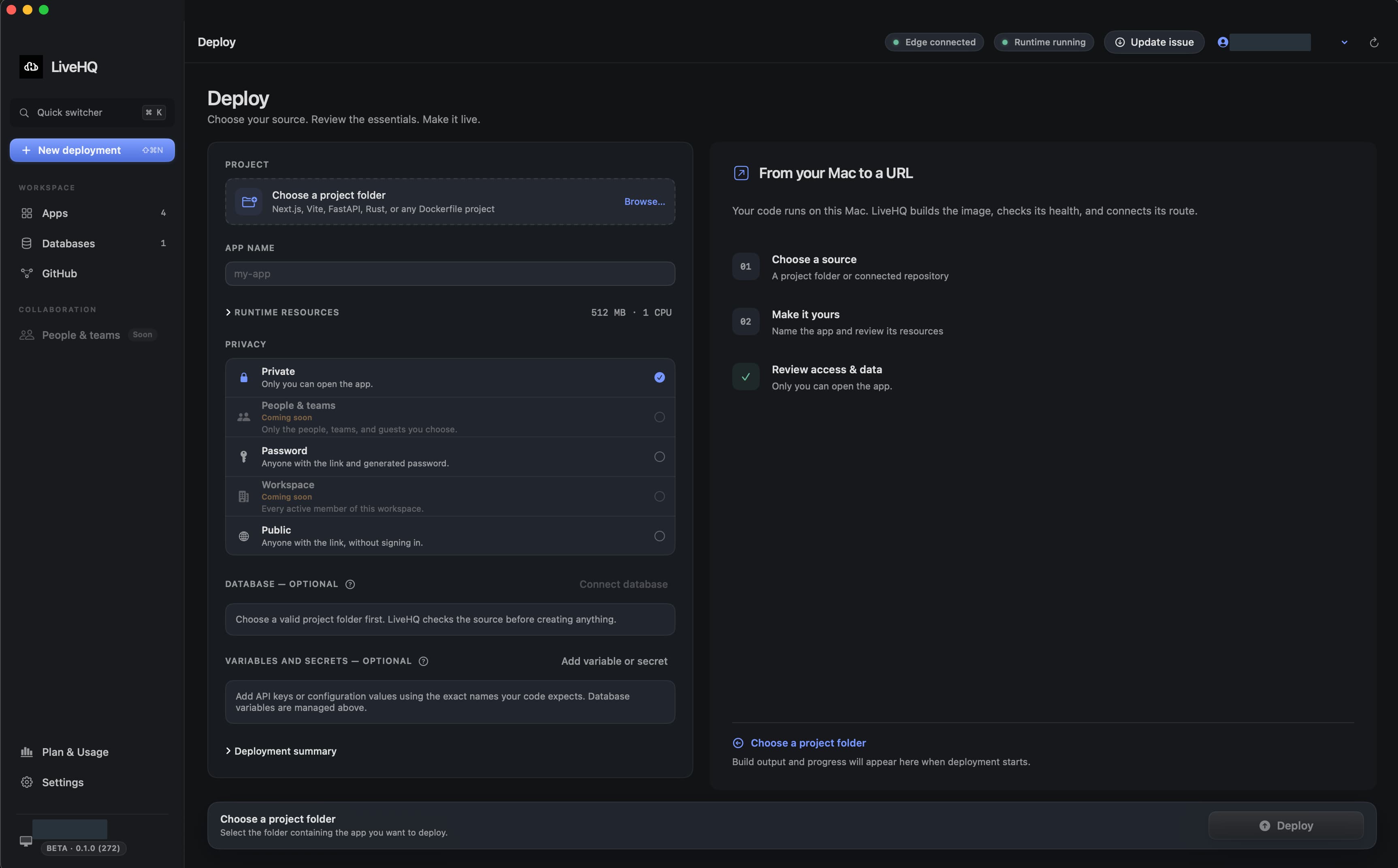
Choose a detail to zoom in, or enlarge the full screenshot.