
Start hereCore workflow
Deploy a project folder
Choose a project folder, configure resources and access, and follow the deployment through to its HTTPS URL.
What LiveHQ can build
Managed adapters cover Next.js, Nuxt, SvelteKit, Astro, Vite, generic Node, FastAPI/Python, and Rust. A standard Dockerfile or Containerfile is the universal fallback.
LiveHQ reads a bounded source snapshot, excludes protected files, and builds Linux ARM64 images through Docker Desktop BuildKit. It never mounts the selected project into the running application.
Configure the deployment
Choose a project folder
Select the repository root. LiveHQ inspects it before creating any application or database resource.
Review the name and resources
Use a stable application name, then choose a memory and CPU limit appropriate for the project.
Choose access
Private is the safe default. Public and password-protected deployments require an explicit choice.
Attach data only when needed
Select an existing database or create one separately. Map the exact case-sensitive variable name expected by your code.
Add variables and secrets
Enter ordinary configuration as variables and credentials as secrets. LiveHQ never reads .env automatically.
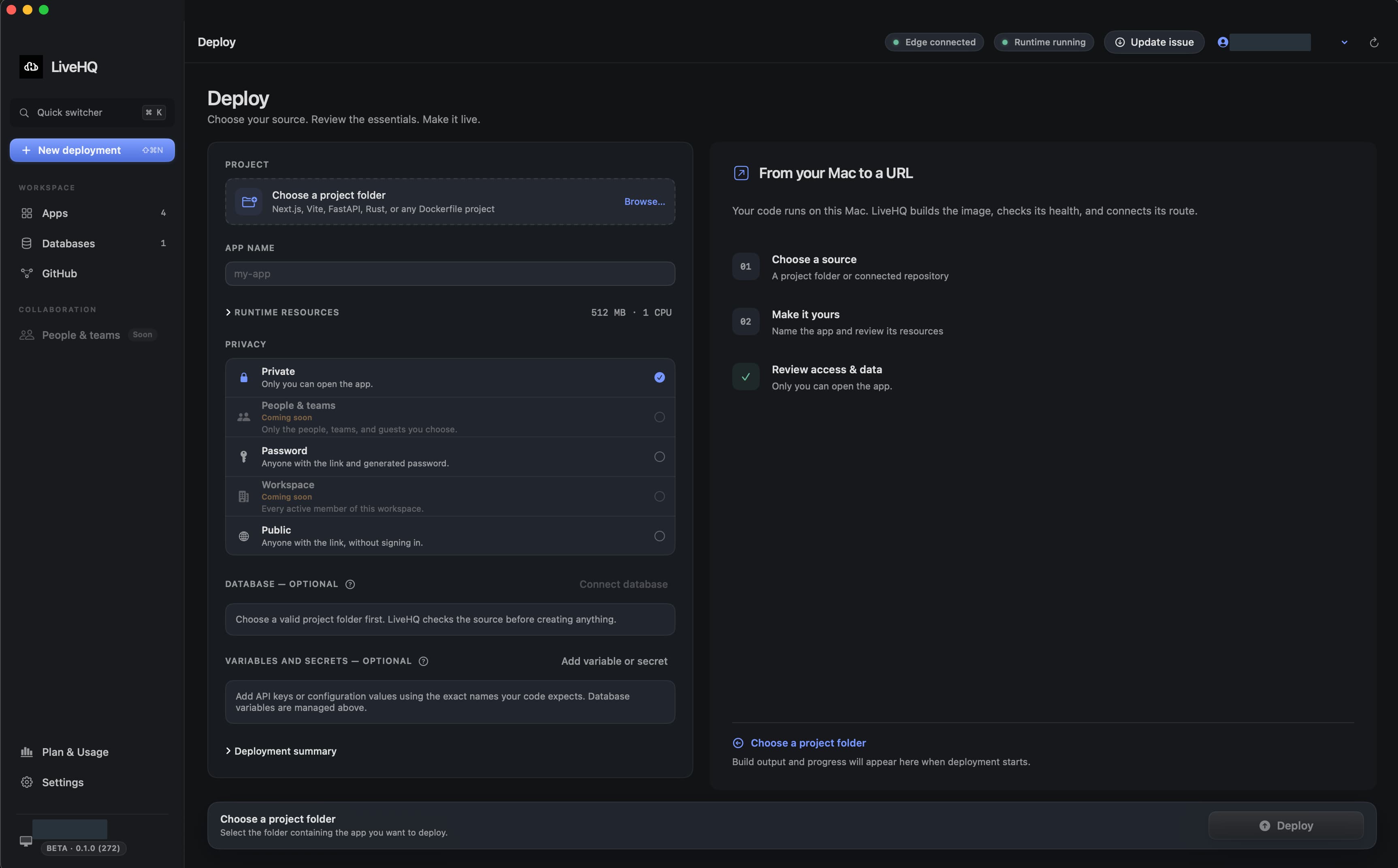
Choose a detail to zoom in, or enlarge the full screenshot.
Read the five deployment stages
| Stage | What LiveHQ proves |
|---|---|
| Building image | The immutable source snapshot builds successfully. |
| Validating image | The resulting image satisfies runtime and security policy. |
| Starting container | The bounded container starts with its intended configuration. |
| Connecting edge | The signed route points to the exact healthy local release. |
| Live | Health and publication are committed; the URL is ready. |
Handle database setup explicitly
When a managed JavaScript project declares a supported migration script and uses a full-control database attachment, LiveHQ shows the exact command and script body before deployment.
Choose the migration command only when it is safe and idempotent, or choose Database already prepared. A script or binding change invalidates the previous choice.
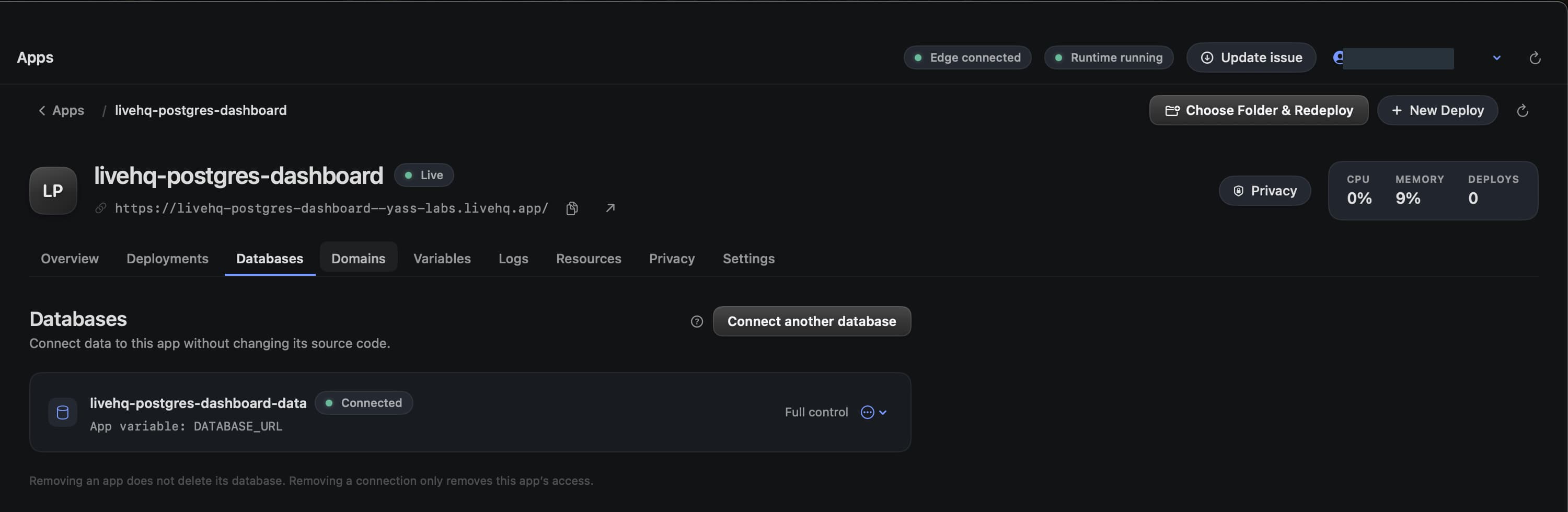
Choose a detail to zoom in, or enlarge the full screenshot.
After the app becomes Live
- Open the managed HTTPS URL from the app header.
- Use Overview for lifecycle state, CPU, memory, source, and runtime evidence.
- Use Logs and metrics to validate real traffic.
- Open Privacy before sharing a protected or public link.
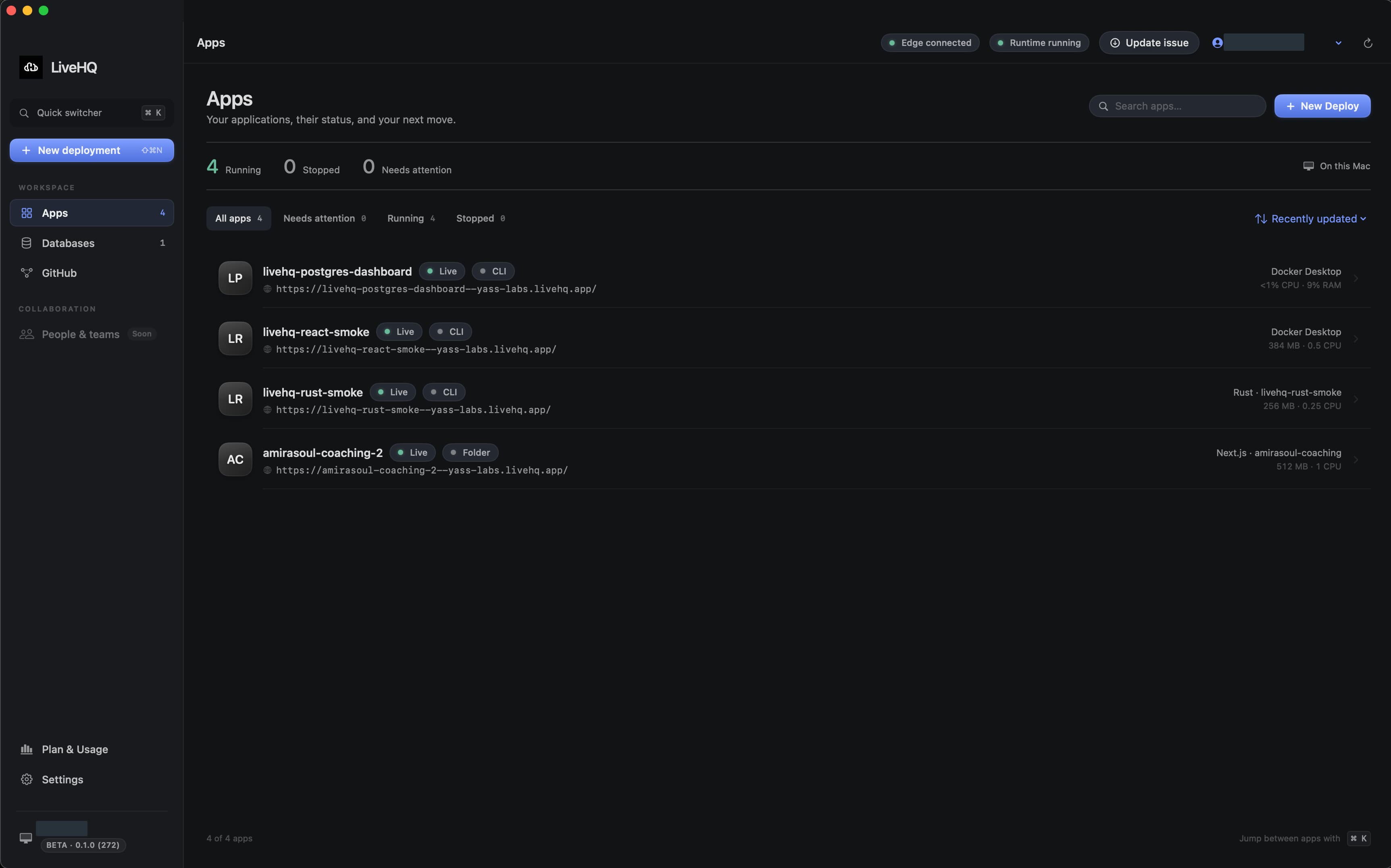
Choose a detail to zoom in, or enlarge the full screenshot.